Paste SQL or load a template
Add CREATE TABLE statements or start from built-in templates like e-commerce, blog CMS, school, or CRM.
Paste CREATE TABLE statements, generate an entity-relationship diagram, inspect keys and relationships, then export the result for documentation, planning, or pull requests.
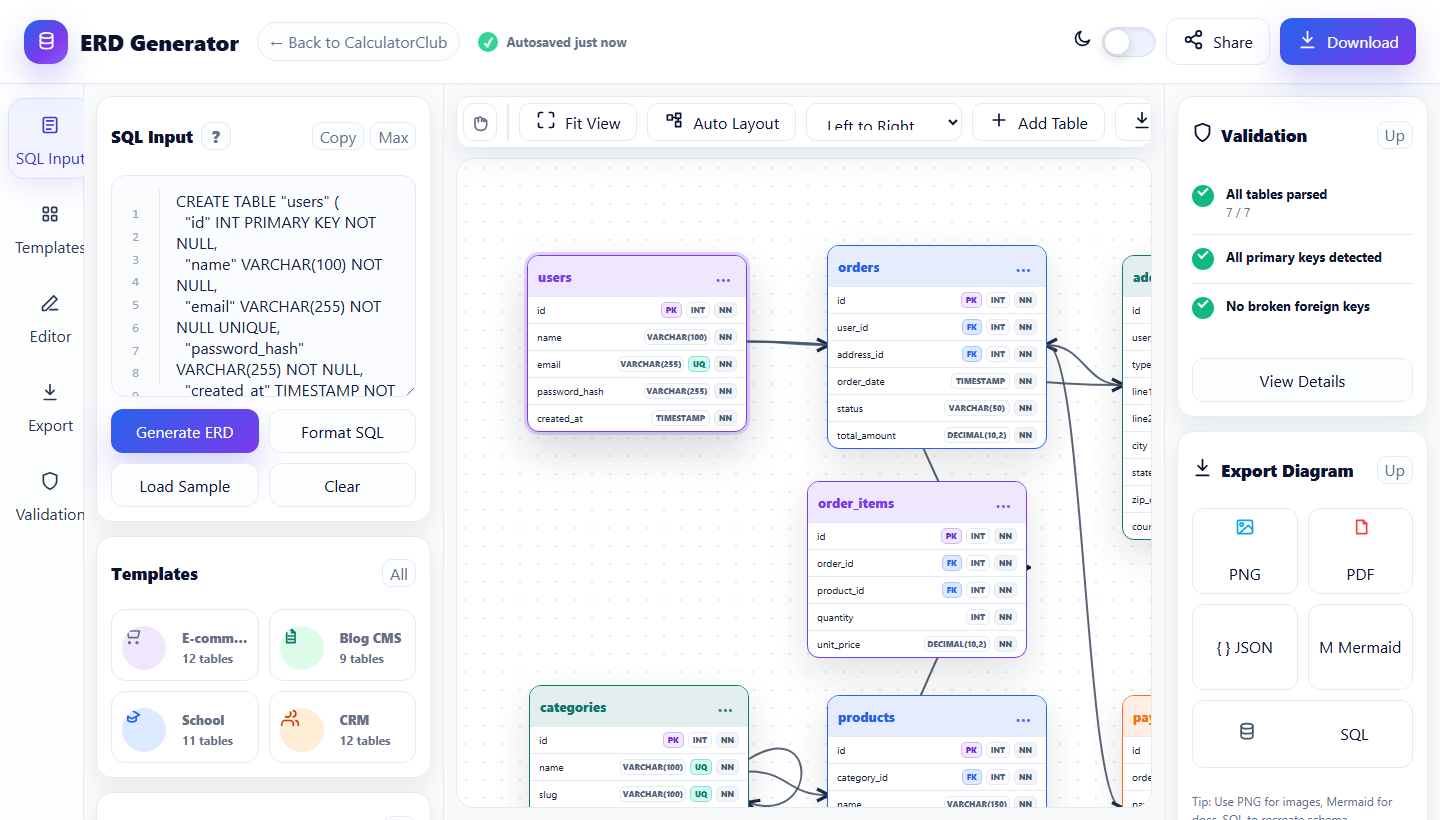
The app is built for quick database design sessions. Start with SQL, generate the diagram, refine the schema visually, and export in the format your team needs.
Add CREATE TABLE statements or start from built-in templates like e-commerce, blog CMS, school, or CRM.
The app reads tables, columns, primary keys, unique fields, and foreign keys to place connected table cards on the canvas.
Move tables, add columns, create relationships, and use validation checks to catch missing keys or broken references.
Download a PNG or PDF for sharing, JSON for projects, Mermaid for docs, or SQL when you need to recreate the schema.
Zoom, fit view, auto-layout, drag tables, and inspect relationships without leaving the browser.
Add tables, columns, primary keys, foreign keys, and relationship types after generating the first diagram.
SQL parsing, autosave, template loading, and export actions happen client-side for a fast, low-friction workflow.
An entity-relationship diagram makes a database schema easier to review before implementation. Instead of reading long SQL files line by line, you can see tables, fields, primary keys, and foreign key relationships on one canvas.
ERD Generator is a browser-based database diagram app that converts SQL CREATE TABLE statements into editable entity-relationship diagrams.
Yes. ERD Generator is free and designed for fast browser-based database planning and documentation.
No. SQL parsing and diagram editing happen locally in your browser, so your schema text is not uploaded to a server.
You can export PNG, PDF, JSON, Mermaid, or SQL depending on whether you need an image, documentation snippet, project data, or recreated schema.